

Vendor portal
Vendor Portal for Restaurant Suppliers
How the Wox vendor portal works for suppliers and the restaurants that buy from them: connecting the right contacts, keeping catalogs and prices current, and handling order confirmations in one shared place instead of scattered calls and messages.
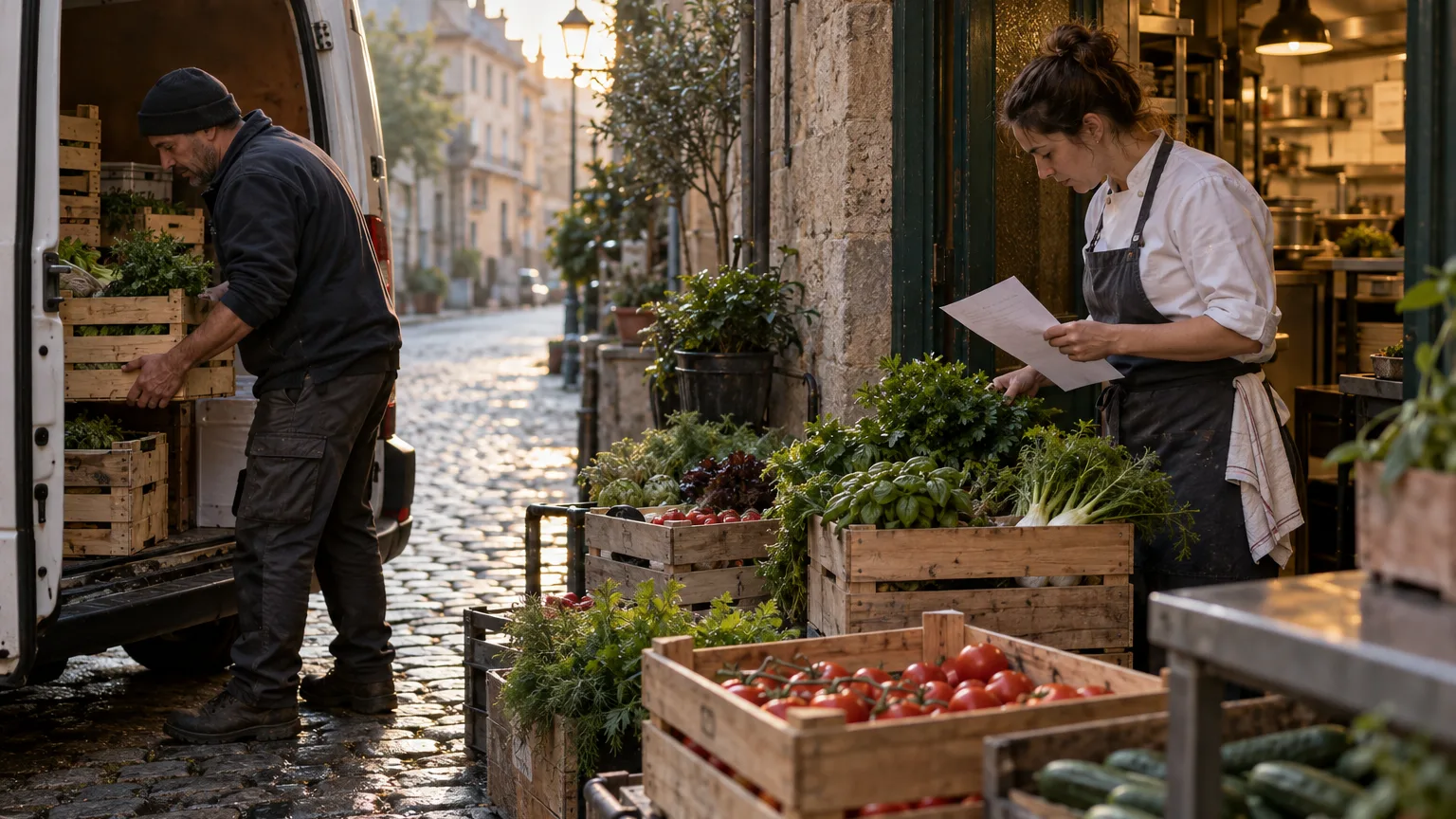
Ask any chef where ordering goes wrong and the answer is rarely the order itself. It is the confirmation that never came, the substitution nobody mentioned, the price that changed on the invoice, or the delivery that arrived a day late without warning. By the time the crate is at the back door, it is too late to plan around it.
The Wox vendor portal is a separate workspace for suppliers. It gives them their own login, their own catalog and price list, and a shared view of the orders restaurants send them. This guide explains how it works on both sides and how to run it as a daily routine.
Who does what
A portal works only when both sides agree on response times and on who is watching. On the restaurant side, name three roles before inviting anyone.
- The vendor manager invites supplier contacts and agrees response expectations with each supplier.
- Buyers watch confirmations and follow up on orders that have had no answer.
- Receiving leads check what the supplier said against what actually arrived at the door.
What suppliers see in the portal
Suppliers sign in to the portal with their own account, separate from any restaurant account. A person who works on both sides keeps two separate logins, and neither can see into the other.
- A supplier profile and support contacts, so restaurants know who to call.
- A catalog of items with categories, units, images and prices. Prices are dated, so a supplier can set next month's price in advance and it takes effect on that date without overwriting the history.
- Catalog import from CSV or Excel files, with a preview to check before anything is saved, and price sheet import from PDF, CSV or Excel that is reviewed before it is applied.
- The orders restaurants have sent, with their status, line details and delivery notes.
- Requests for quotes from restaurants, where the supplier can submit an offer line by line.
- Notifications that update as orders and requests arrive.
 Wox
WoxVendor Network
4 active vendors
Sysco
14 items
Rating
★ 4.8
On-time
96%
US Foods
22 items
Rating
★ 4.5
On-time
92%
Local Harvest
8 items
Rating
★ 4.9
On-time
98%
BakeMark
11 items
Rating
★ 4.6
On-time
94%
Connect the right supplier contacts
The link between a restaurant and a supplier's portal account is made through contact details. A supplier account is matched to the restaurant's vendor record by email address or phone number, or through an invitation sent from that record. Linking waits until the supplier has verified their email, which stops someone else from claiming a supplier by typing the right address.
- 1On the restaurant side, open the vendor record and check that the email and phone belong to the person who will actually confirm orders, not a general inbox nobody reads.
- 2Send the portal invitation from the vendor record by email or SMS.
- 3The supplier contact opens the invitation, registers for the portal and enters the verification code sent to their email. The code is valid for 24 hours, and a new one can be requested.
- 4Once verified, the supplier sees your restaurant among their linked customers, and the contact on your vendor record moves from pending to approved.
- 5If the supplier is already linked to a different supplier profile in Wox, the link is held back as a conflict rather than merged. Contact support to resolve it instead of creating a duplicate vendor.
The right contact on the vendor record matters more than any setting in the portal.
Send orders suppliers can act on
An order without context invites mistakes. A supplier delivering to a restaurant in Old Tbilisi needs to know that the street is closed to trucks after ten, that the back entrance is through the courtyard, and that the kitchen cannot receive during lunch service.
- 1Add a delivery window and receiving notes to every order, such as access instructions, the person receiving and the hours the kitchen can accept goods.
- 2State units clearly, for example kilograms or cases of six, so the supplier does not have to guess.
- 3Send the order early enough that the supplier can respond before your cut-off.
Review confirmations every day
In the portal a supplier can accept or reject an order, report missing items, change a line with a note explaining why, set an expected delivery date and mark the order as delivered. Restaurant orders move through clear statuses: sent, accepted, rejected, in delivery, delivered or cancelled.
- 1Each morning, open your purchase orders and filter for orders that are still sent and have had no supplier response.
- 2Check accepted orders for changed lines and read the supplier's note on each one, so substitutions are known before the delivery arrives.
- 3Look for new expected delivery dates and adjust prep and the menu if something will arrive late.
- 4For any order with no response by your agreed time, call or message the supplier contact directly and record the outcome on the order.
- 5When goods arrive, the receiving lead checks them against the order and records any difference at receiving, as described in purchase orders.
Keep items and prices current before busy periods
Large orders are where stale data costs the most. Before New Year, Easter or a wedding season with long supra tables every weekend, check that your suppliers' items and prices match what you expect to pay.
- 1Ask key suppliers to confirm their catalog and to load any upcoming price changes with the date they take effect.
- 2Review the items on your vendor records and remove links to products the supplier no longer carries.
- 3Compare the prices you expect with the latest invoices before you place the large order, not after.
For suppliers: getting started in the portal
- 1Accept the restaurant's invitation or register for the portal using the same email the restaurant has on file for you.
- 2Verify your email with the code you receive, so your restaurant customers are linked to your account.
- 3Complete your supplier profile and support contacts.
- 4Build your catalog by hand or import it from a CSV or Excel file, check the preview, and confirm.
- 5Add prices, including future-dated prices if a change is coming.
- 6Check notifications every working day and respond to new orders and quote requests before the restaurant's cut-off.
Suppliers with their own systems can also receive signed webhook events from the portal. See integrations and webhooks for how deliveries and retries work.
Common mistakes and how to fix them
Inviting the wrong contact is the most common mistake; confirm who actually handles orders before sending the invitation. Late follow-up on silent orders is the second; make the morning review a fixed task for one named buyer. Stale supplier data is the third; audit items and price links before every busy period.
For the wider supplier relationship, read vendor management and our article on restaurant vendor management, or see the vendors feature.
Questions people ask
Do suppliers need a separate account for the vendor portal?
Yes. Suppliers sign in to the portal with their own account, separate from restaurant accounts. Their account is linked to your vendor record by matching email or phone, or through an invitation, once they verify their email.
Can a supplier change prices in advance?
Yes. Prices in the supplier catalog are dated, so a future price can be set ahead of time and takes effect on that date without overwriting earlier prices.
What can a supplier do with an order in the portal?
Accept or reject it, report missing items, change a line with a note, set an expected delivery date and mark it delivered. The restaurant sees each change on the order.
Is supplier ordering available in Wox today?
Ordering from suppliers inside the Wox web app is currently switched off for restaurant accounts while it is being finished. Contact the Wox team to ask about availability for your account.
Related guides
Restaurant Vendor Management and Catalog Setup
Build reliable vendor catalogs and item data so restaurant ordering, receiving, and food cost control stay consistent.
Restaurant Purchase Order Management
A guide to creating, sending, receiving, and reconciling restaurant purchase orders to keep food costs as a percentage of sales on target.
Restaurant Software Integrations and Webhooks
How to connect your restaurant software with external tools using vendor portal integrations and order notification webhooks.
Background reading
How to Negotiate Better Prices with Restaurant Food Suppliers
Ingredient costs are the largest controllable expense for most restaurants, typically consuming 28% to 35% of revenue. Even small improvements in supplier pricing have an outsized impact on profitability. A 3% reduction in food cost for a restaurant generating $1 million in annual sales translates to $30,000 in additional profit—a meaningful sum in an industry where average net margins are 3% to 5%. This guide covers the strategies, tactics, and preparation needed to negotiate effectively with food distributors and suppliers.
Manual vs. Automated Restaurant Procurement: A Complete Comparison
Every restaurant must purchase ingredients, but the method of procurement varies enormously. Some operators still place orders by phone, track costs in spreadsheets, and reconcile invoices by hand. Others use automated platforms that generate purchase orders from inventory data, scan invoices with AI, and track vendor pricing in real time. The difference between these approaches is not theoretical—it shows up in food cost percentage, labor hours, data accuracy, and profitability. This article compares the two approaches across every dimension that matters to restaurant operations.
Restaurant Vendor Management: Building a Reliable Supply Chain
Independent restaurants typically work with three to seven vendors, ranging from broadline distributors to specialty suppliers to local farms. Managing these relationships—negotiating prices, tracking deliveries, resolving quality issues, comparing options—is one of the most time-consuming and consequential responsibilities in restaurant operations. A well-managed vendor network reduces cost, improves quality, and protects against supply disruptions. A poorly managed one leads to hidden overcharges, inconsistent quality, and operational disruption when a key supplier fails. This guide covers how to evaluate, manage, and optimize restaurant vendor relationships.
The feature behind this guide
Restaurant vendor management, centralized
Vendor catalogs, supplier onboarding, and performance tracking in one place