

Purchasing & suppliers
Restaurant Purchase Order Management
How purchase orders move through Wox from draft to delivery, how approvals and receiving keep spending honest, and how to close each order so food cost reflects what actually arrived.
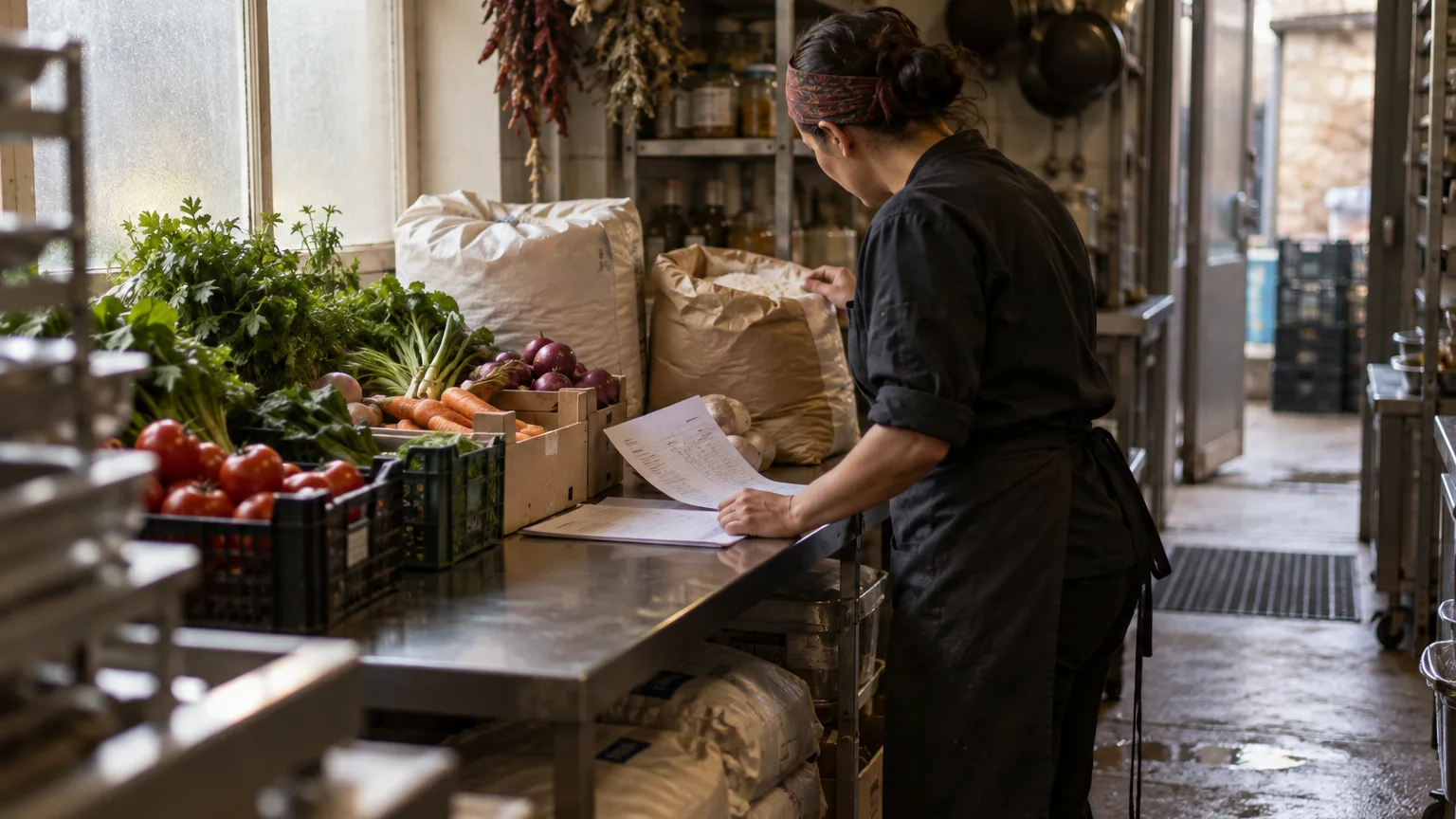
A purchase order is a promise written down: two cases of tomatoes, 20 kg of beef shoulder, delivered Thursday before ten. Without one, the order lives in a phone call, the delivery is checked against someone's memory, and the invoice gets paid because nobody can prove it is wrong.
This guide explains how purchase orders work in Wox, who should do what, and how to run one consistent cycle for every vendor: draft, approval, sending, receiving, and reconciliation. For the product overview, see purchasing.
The life of an order
Every purchase order in Wox belongs to one vendor and one location. It moves through a small set of statuses: Draft, Awaiting approval, Sent, Accepted or Rejected by the supplier, In delivery, Delivered, and Cancelled. If a cart holds items from three suppliers, checking out creates three separate orders, one per vendor.
 Wox
WoxPurchase Orders
5 orders this week
Agree the roles first
- Buyer or manager: drafts the order and reviews quantities.
- Approver: confirms the spend and that the order is ready to go.
- Receiving lead: records delivered quantities, shortages, and credits at the door.
In a small cafe these can be one person on different days. What matters is that each step has a name next to it. Access for each role is set up as described in team roles and permissions.
Build the draft
Most orders start in a cart. You can add items by hand, reorder from a previous purchase order, or take replenishment suggestions based on par levels and current stock. Suggestions land in the cart for you to review; they never send themselves. Prices refresh while the order is still a cart, so the total you approve reflects the vendor's current prices.
- 1Build the draft with the quantities, units, and delivery date you need, starting from a previous order or the par-level suggestions where that helps.
- 2Add notes for substitutions, receiving access, or prep constraints, such as back gate before 10:00 or no substitute on sulguni.
- 3Check each unit against the vendor's pack size, so 20 kg does not quietly become 20 cases.
- 4Review the totals and approve the order before sending.
Approvals
Each location can have an approval rule: orders above a set amount need a decision from an approver role you choose. When someone sends an order over the threshold, it moves to Awaiting approval instead of going to the vendor. Budget limits are checked at the same moment.
- 1Open the approvals inbox and select the pending order.
- 2Check quantities and the total against the budget and the week's plan.
- 3Approve the order to send it, or reject it with a note explaining what needs to change.
Send and track
An approved order goes to the vendor by email, SMS, or WhatsApp. The supplier receives a link where they can accept or reject the order and set the expected delivery date, without needing an account. Wox sends reminders for orders and deliveries that are still waiting.
- 1Send the approved order through the channel the vendor prefers.
- 2Monitor the vendor's acknowledgement: accepted, rejected, and the expected delivery date.
- 3Update delays as soon as a vendor confirms a change, so the kitchen plans around the real date.
Receive what actually arrived
Receiving is where food cost is made or lost. Each line can be received in full, short, damaged, disputed, or returned. Received quantities go into stock through the same ledger that records sales, counts, and waste, so the item's movement history shows exactly which delivery added it. Receiving can be assigned to a person or assigned automatically.
- 1Open the pending deliveries for your location and select the order.
- 2Count each line at the door and record the actual quantities.
- 3Mark shortages, damaged goods, and substitutions on the line they belong to.
- 4Confirm the receipt so stock updates in the right storage area.
The purchase order is where food cost starts; receiving is where it is decided.
Reconcile and close
An order is not finished when the van leaves. Shortages need an answer from the vendor, and prices on the invoice or rs.ge waybill sometimes differ from the order. Close each order only when those differences are written down.
- 1Compare the received order with the vendor's invoice or rs.ge waybill, line by line.
- 2Reconcile pricing differences and record any credits the vendor agreed to.
- 3Accept or dispute shortages with the vendor.
- 4Close the order with a clear note on what changed and why.
Invoices can be scanned and imported so their prices land in Wox without typing, as described in invoice scanning and document processing. Persistent gaps between ordered and delivered prices are covered in price variance.
Standing orders
Some orders never change: bread every morning, mineral water every Monday. Order templates turn these into scheduled orders that Wox creates when they are due. You can pause a template over a holiday closure and resume it after, without rebuilding the order.
What good looks like
- Anyone on the team can see what was ordered, what arrived, and what changed.
- Credits and shortages are recorded with a named owner.
- Managers review order exceptions in the weekly operations meeting instead of chasing them by phone.
Common mistakes and how to fix them
Sending drafts without a final check. A missing zero costs more than the minute it takes to review. Make the pre-send check part of the routine, and use the approval rule for larger orders.
Late delay updates. If the kitchen finds out about a late delivery at 11:00, the lunch menu pays for it. Log delivery changes as soon as the vendor confirms them.
Incomplete receiving records. Substitutions and credits remembered later are rarely remembered correctly. Capture them at the door, on the line they belong to.
Questions people ask
Can one purchase order include several suppliers?
No. Each purchase order belongs to one vendor and one location. When a cart holds items from several suppliers, checkout creates a separate order for each.
How does the supplier receive the order?
By email, SMS, or WhatsApp. The message includes a link where the supplier can accept or reject the order and set the expected delivery date.
Can I require approval for large orders?
Yes. Each location can have an approval rule with an amount threshold and an approver role. Orders above the threshold wait for approval before they are sent.
What happens to stock when I receive an order?
Received quantities are added to stock through the inventory ledger, in the storage area you choose, and each movement links back to the delivery that caused it.
Why does the purchase orders screen say coming soon?
Supplier ordering is being switched on in stages. If you use rs.ge, draft purchase orders from your waybills are already available to review on the rs.ge screen.
Related guides
Restaurant Vendor Management and Catalog Setup
Build reliable vendor catalogs and item data so restaurant ordering, receiving, and food cost control stay consistent.
Restaurant Inventory Counting and Stock Management
Best practices for restaurant inventory management — storages, counts, low-stock control, and replenishment planning to reduce food cost.
Par Level Management and Reorder Points
How to set and maintain par levels so restaurant reordering is timely, consistent, and driven by actual usage to control food cost.
Background reading
How to Negotiate Better Prices with Restaurant Food Suppliers
Ingredient costs are the largest controllable expense for most restaurants, typically consuming 28% to 35% of revenue. Even small improvements in supplier pricing have an outsized impact on profitability. A 3% reduction in food cost for a restaurant generating $1 million in annual sales translates to $30,000 in additional profit—a meaningful sum in an industry where average net margins are 3% to 5%. This guide covers the strategies, tactics, and preparation needed to negotiate effectively with food distributors and suppliers.
Manual vs. Automated Restaurant Procurement: A Complete Comparison
Every restaurant must purchase ingredients, but the method of procurement varies enormously. Some operators still place orders by phone, track costs in spreadsheets, and reconcile invoices by hand. Others use automated platforms that generate purchase orders from inventory data, scan invoices with AI, and track vendor pricing in real time. The difference between these approaches is not theoretical—it shows up in food cost percentage, labor hours, data accuracy, and profitability. This article compares the two approaches across every dimension that matters to restaurant operations.
Restaurant Vendor Management: Building a Reliable Supply Chain
Independent restaurants typically work with three to seven vendors, ranging from broadline distributors to specialty suppliers to local farms. Managing these relationships—negotiating prices, tracking deliveries, resolving quality issues, comparing options—is one of the most time-consuming and consequential responsibilities in restaurant operations. A well-managed vendor network reduces cost, improves quality, and protects against supply disruptions. A poorly managed one leads to hidden overcharges, inconsistent quality, and operational disruption when a key supplier fails. This guide covers how to evaluate, manage, and optimize restaurant vendor relationships.
The feature behind this guide
Purchase order software for restaurants
Restaurant invoice scanning, automated reordering, and procurement budgets